
The problem: Is your story ready, how can I share it with others?
You built the café scene, gave Alex and Jordan faces, reshaped the branching, and made the story remember the player's choices. Click Play and it works. That feels good.
To show the work to someone else, you need a special format. This is a file that can be opened in any browser in a couple of seconds and without any complicated settings. This is exactly what HTML5 exports are for.
Step 1 - Export to HTML5
The application will assemble your project into an independent browser game that can be distributed without additional settings.
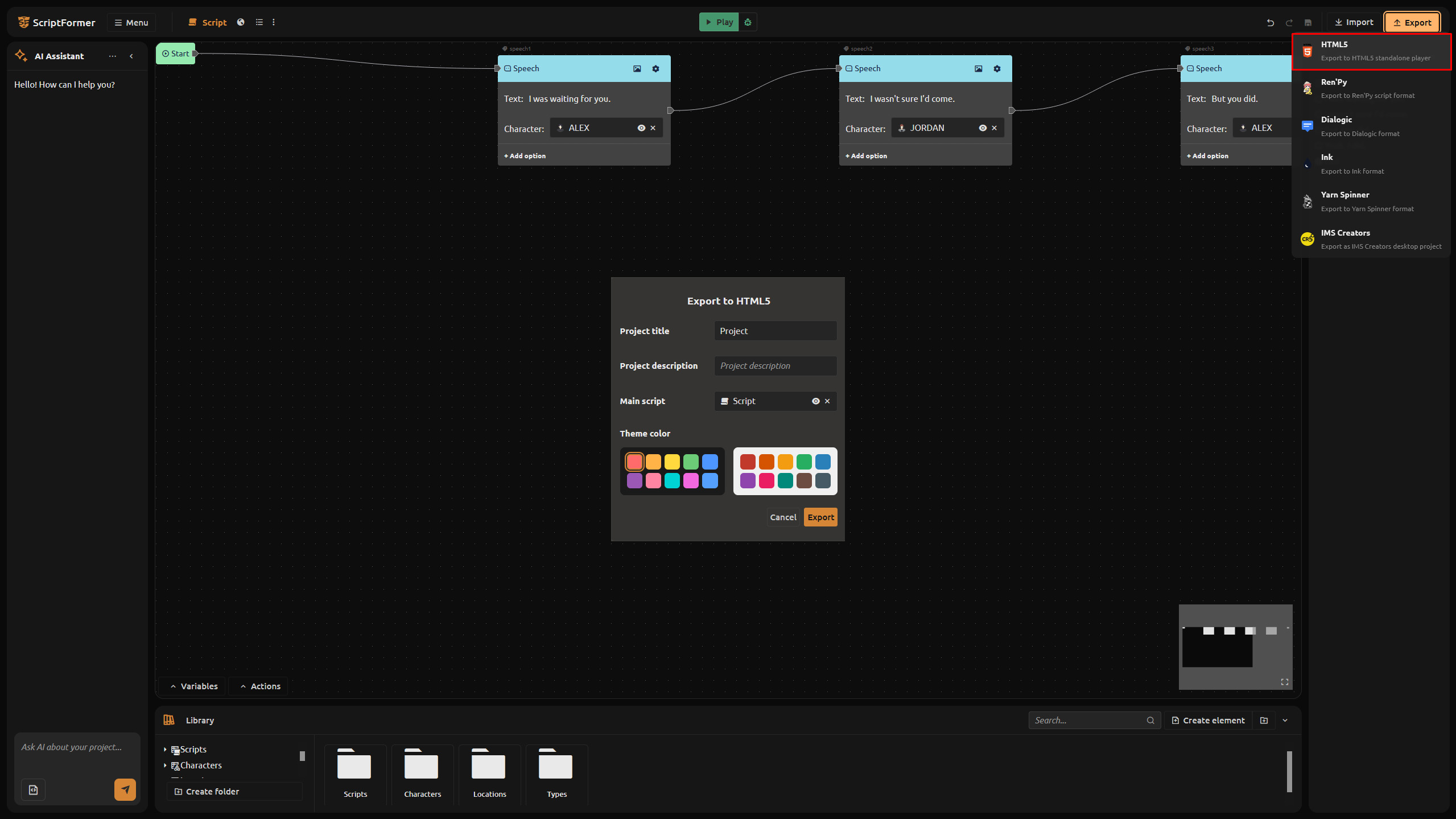
- In the top bar, open the Export menu.
- Choose HTML5.
- In the dialog, fill in the settings:
- Project Title - the name of the game (shown in the browser menu).
- Project Description - a short line shown under the title (optional).
- Main Script - which script the game starts from.
- Theme Color - a color for the interface (pick from the dark or light palette).
- Click Export.
Step 2 - Run the downloaded ZIP locally
Export downloads a ZIP archive. Before uploading it anywhere, check it plays:
- Unzip the archive.
- Open
index.htmlin any browser.
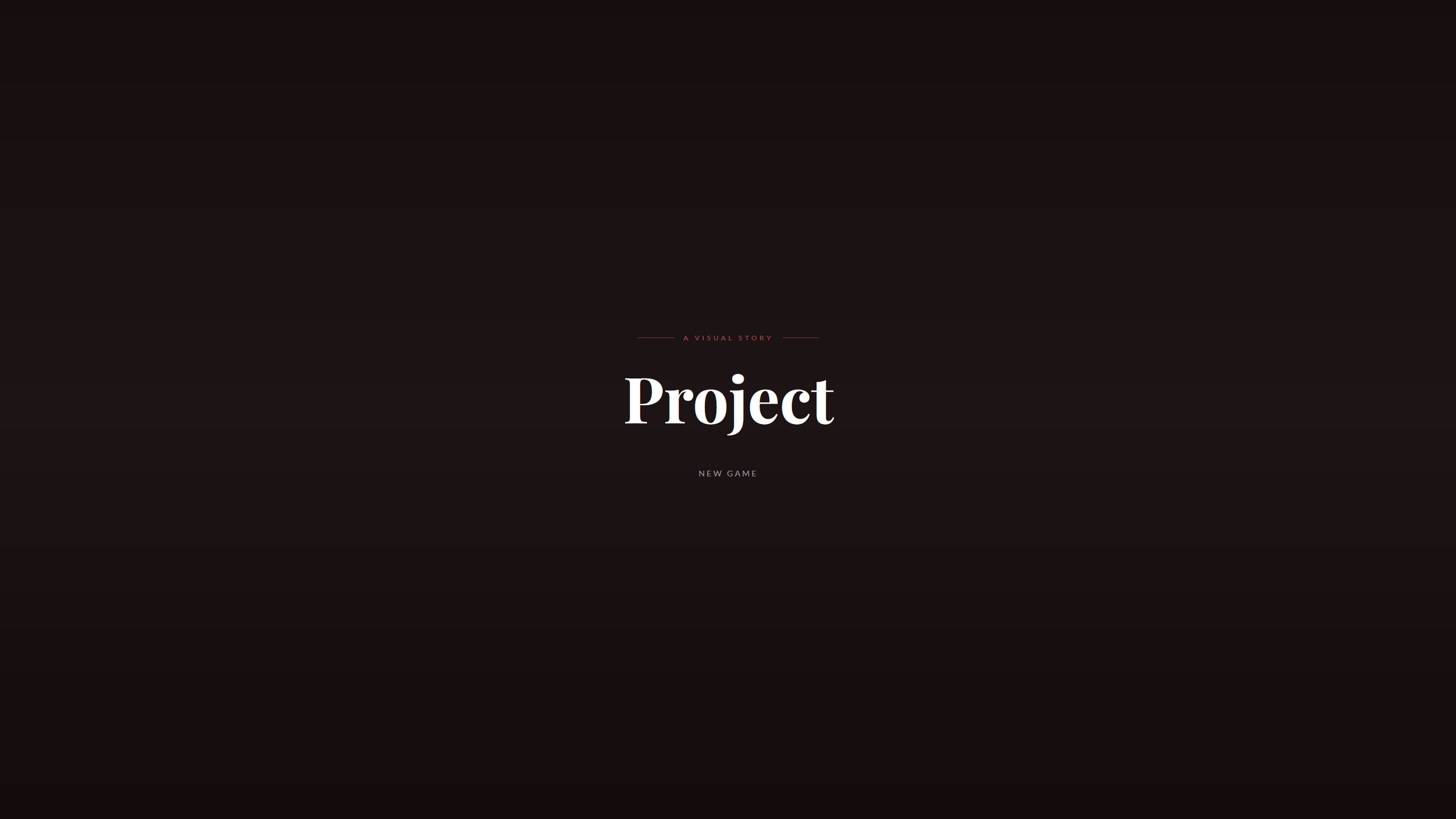
You'll see the menu with your title and a New Game button. Click it and the scene runs - the same behavior as in the editor. No server, no plugins, nothing extra.
Step 3 - Upload it to itch.io
If you want to share your game with the community, the easiest way is to upload the project to itch.io . A visual novel on itch.io launches HTML5 games directly from the downloaded ZIP. That's how it's done.:
- Sign in to itch.io.
- Click Upload new project.
- Fill in the game's title and a short description.
- In the Uploads section, drop the ZIP file.
-
- In the Kind of project section, select HTML, this setting tells you itch.io that's an HTML5 game in front of him.
- Save and publish.
Everything is ready! You can distribute your project.
What you solved today
- You exported the project as an HTML5 game with a title, description, and theme.
- You verified the ZIP runs by opening
index.htmlin a browser. - You uploaded it to itch.io as a playable browser game.
Try it now: export your project as HTML5 and put the demo on itch.io. A shareable link is the fastest way to find out whether your story lands.
What's next: start from an idea instead
Previously, you always started with a ready-made text. The approach will change next week.: you set an idea in one line, and the neural network unfolds a whole scene from it. You won't need a script.
FAQ
Do I need a server to run the HTML5 game?
No. Unzip the archive and open index.html in a browser. It runs locally with no server or plugins.
What does itch.io need to run my game?
Download the ZIP and install it in the Kind of project HTML section next to the file. itch.io handles the rest.
Can I test before uploading?
Yes - run index.html locally first. If it works there, it will work on itch.io.
What is the Main Script setting?
The script the game starts on. You must select one before exporting; the dialogue you want players to begin with is the right choice.
Do I need a license to export HTML5?
No. HTML5 export is available on the free version.