
The problem: you have a concept, not a script
You have a feeling, a setting, but you don't have a script at all.
That's what "I have an idea" mode is for. It starts from a concept, not a document.
What do you get
Instead of parsing text you give it, the AI writes the scene from a short description. You type an idea, optionally pick a tone and genre, and it returns a full scene: characters, locations, and dialogue.
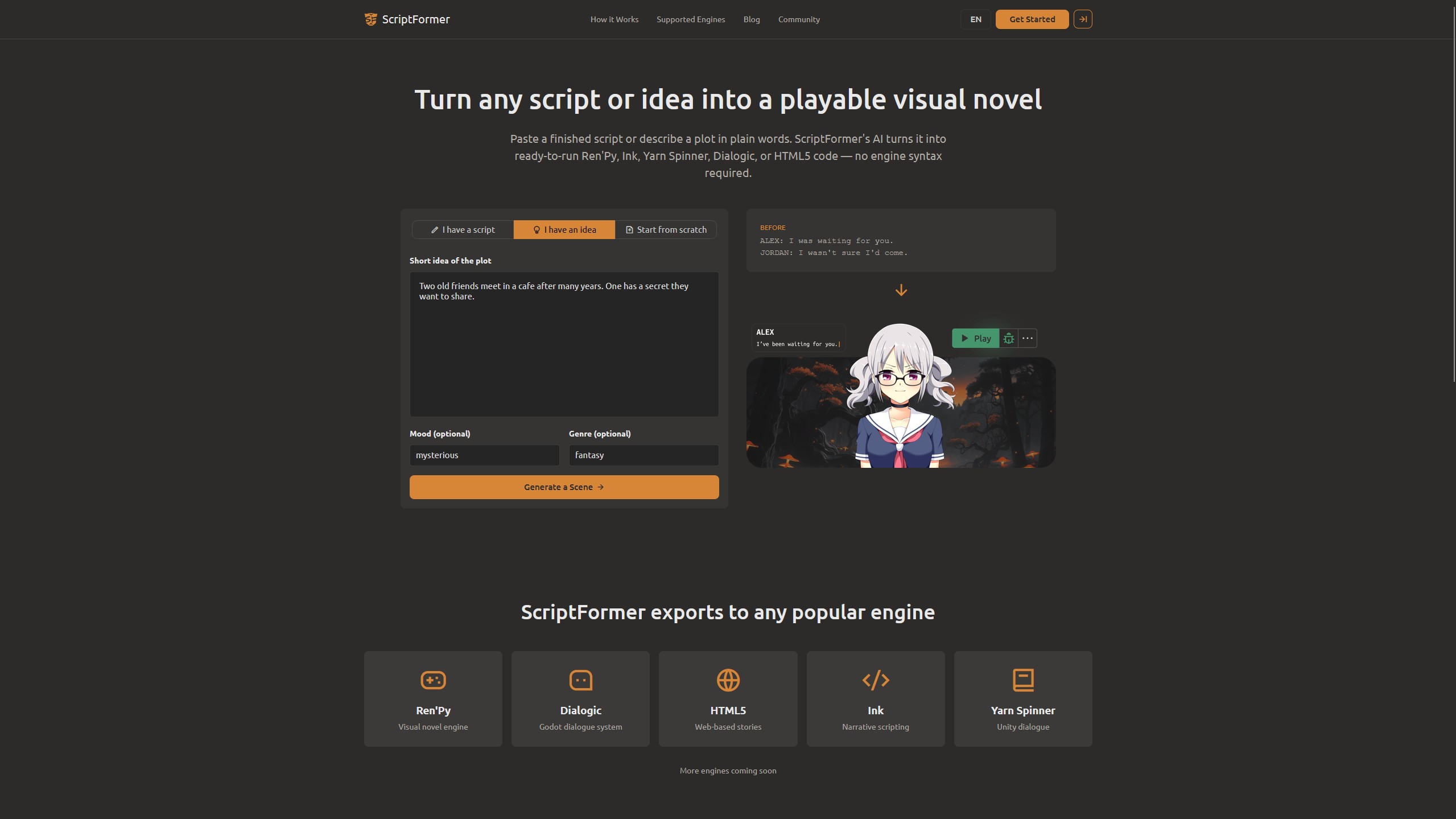
Step 1 - Choose "I have an idea"
- Open scriptformer.com/app.
- Select the "I have an idea" tab.
Step 2 - Describe the idea
Fill in the three fields:
- Story Idea (required) - the premise in your own words. For example: two friends meet at midnight; one has a secret.
- Tone (optional) - the feeling, e.g. mysterious, romantic
- Genre (optional) - the form, e.g. fantasy, sci-fi
Step 3 - Generate a Scene
Click Generate a Scene. The AI then works through a short pipeline - it lays out characters, locations, and any variables, then builds the dialogue graph from them.
The app will ask you to set up an AI model first if you haven't - pick your provider (OpenRouter, Gemini, OpenAI, Grok, DeepSeek, Ollama, or Custom with your own key) and continue.
Step 4 - Review the generated scene
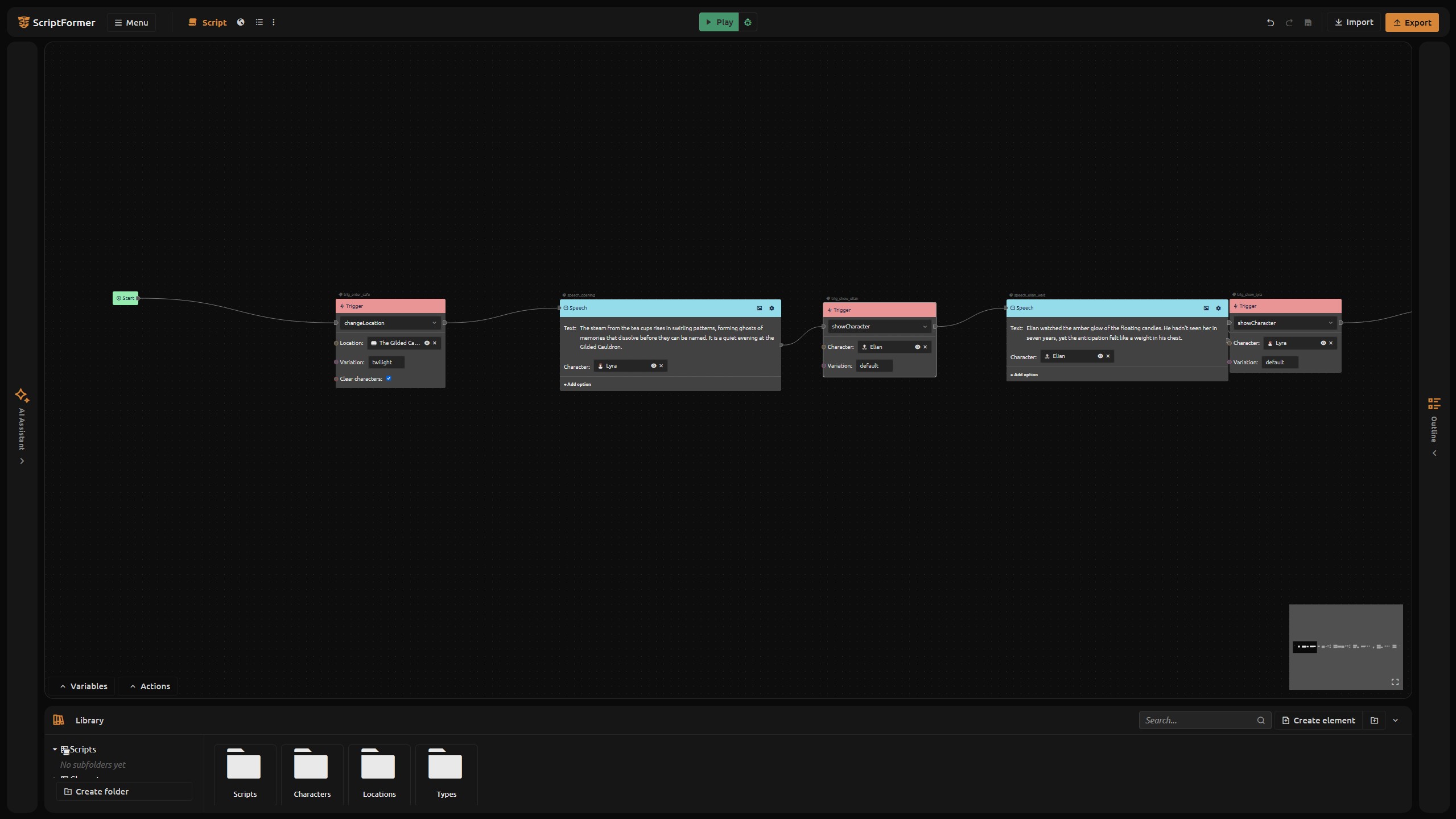
Once generation finishes, you land in the project with the scene open. Now review what the AI produced:
- Characters - the cast it detected from your idea
- Locations - the places it set the scene in
- Dialogue - the lines it wrote, with choices and branching the AI is prompted to include
Use this method as a draft, avoiding the "fear of a blank sheet", you get something that can then be rebuilt, renamed and reconfigured into anything.
What you solved today
- You turned a one-line idea into a full scene without writing a script first
- The AI has created characters, locations, and dialogue to work with
- You have integrated generation through your AI provider
An idea is now a valid starting point for a scene, right next to script and scratch input.
What's next: set the mood and genre
Next, let's look at how mood and genre affect what the AI writes, and how to redo the result if the first generation does not match your vision.
Try it now: open scriptformer.com/app, pick "I have an idea", describe a scene, and hit Generate a Scene.
FAQ
Do I need a script to use this mode?
No. "I have an idea" starts from a one-line description, not a document.
Which fields are required?
Only Story Idea. Tone and Genre are optional guides for the AI's writing style.
Do I need an AI model?
Yes - generation needs a configured model. Pick a provider in the setup step (or add your own Custom key).
What does the AI produce?
Characters, locations, and a dialogue scene built from your idea.
Can I edit the result?
Yes. You land in the project with the scene open and can reshape, rename, or re-stage everything afterward.