
The problem: visually, there is branching, but in fact the game does not remember anything
You added a selection and prescribed different lines for Alex and Jordan. Everything looks beautiful in the editor - the branches of events diverge, but here's the catch: the player's choice is not saved and the meaning of the choice immediately disappears.
The history is not saved. If you need a line like "Do you remember that I already came?" later in the story, the game won't give it away. She just doesn't have a memory. And today we will close this gap.
What a variable is
A variable is a named value the story keeps and can change as the player plays. For example:
toldTruth- a parameter that records whether the secret came outmood- a value that drifts as the player's choices shape the scene
You give it a name, a type (boolean, integer, text, and so on) and a starting value. Then nodes read it and write to it.
Step 1 - Create the variable
Before using toldTruth, it must be set in the system, otherwise the engine simply will not see it
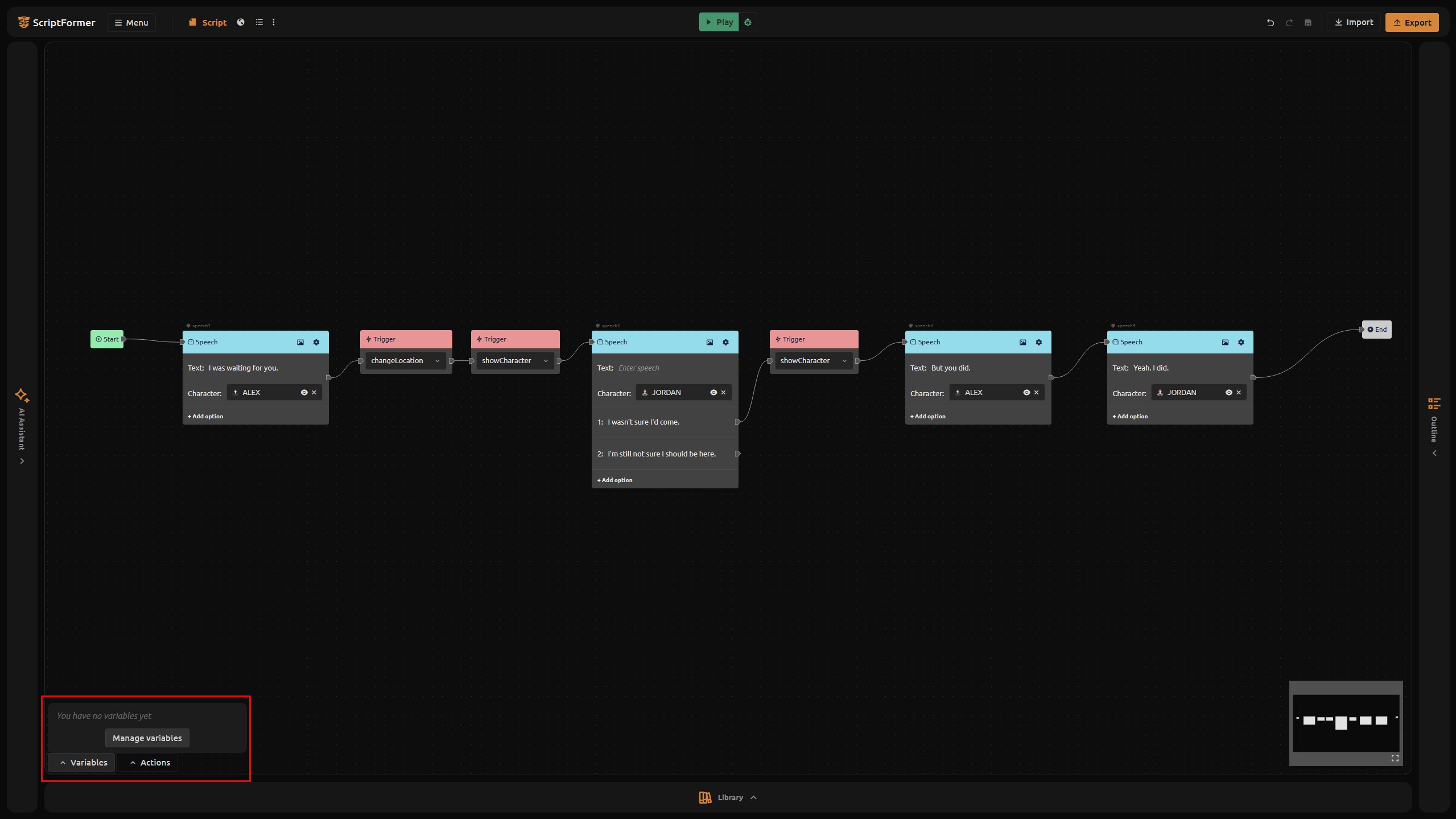
- In the graph toolbar, open Variables.
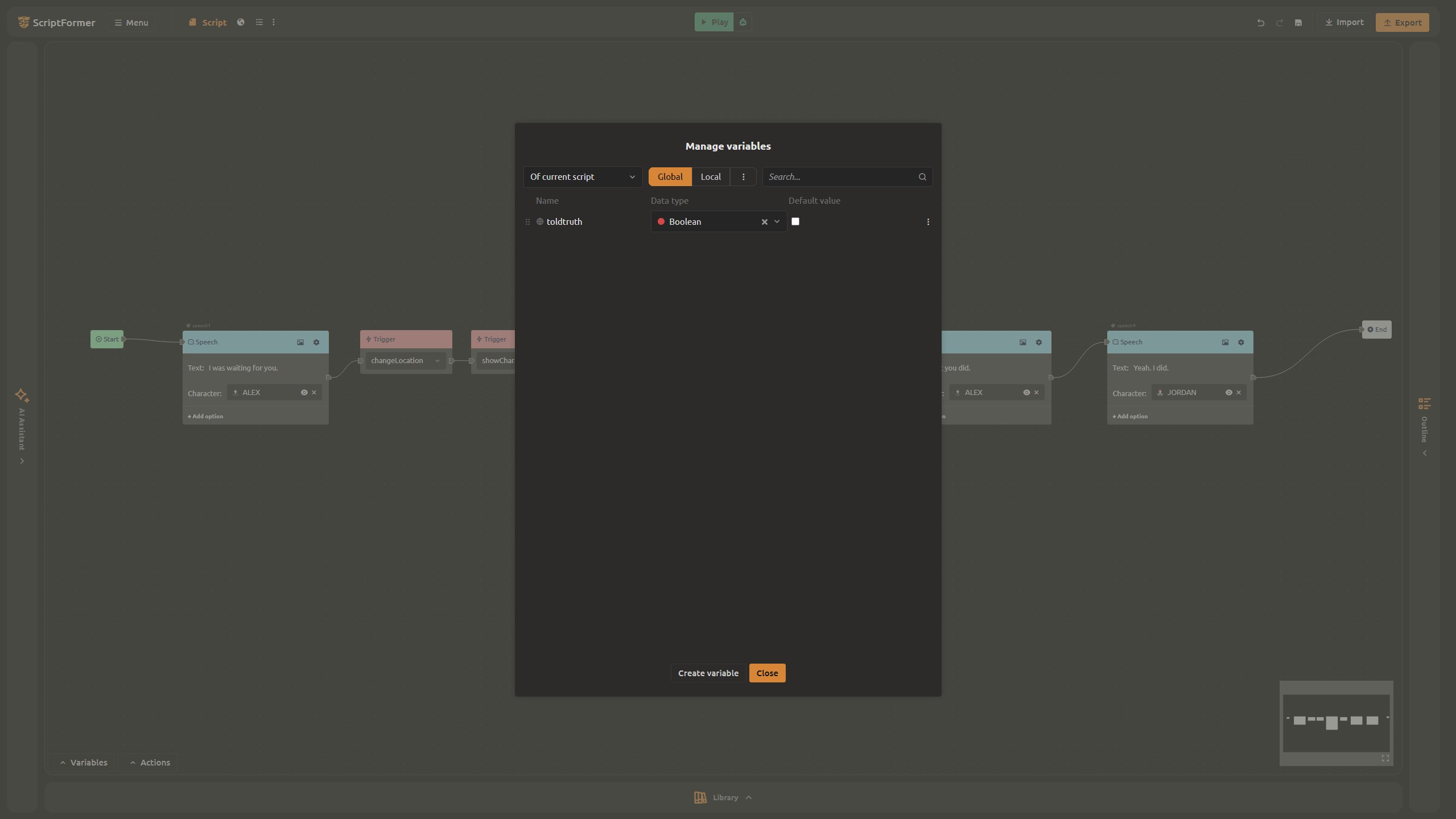
- Choose Manage variables, then Create variable.
- Give it a service name -
toldTruth- pickbooleanas the type, and leave the default asfalse(The checkbox must be empty).
In total, we have: a boolean variable with its own name. By default, it is set to false until the system assigns it the value true.
Step 2 - Set it when the player picks an option
Now wire the choice so one reply flips the flag. In the graph, a speech option does not carry a value itself - you route it into a Set variable node.
- Select the option "I wasn't sure I'd come." (the reply where Jordan admits they almost stayed home).
- From that option's output, add a Set variable node.
- In it, choose variable
toldTruthand set its value totrue. - Continue to lead the logic from this node to where the branch arrow used to lead.
Do the same for the other option if you want it to store a distinct outcome - otherwise leave toldTruth at its default.
Step 3 - Show a line only when the flag is true
Because toldTruth is already a boolean, routing it is short and direct:
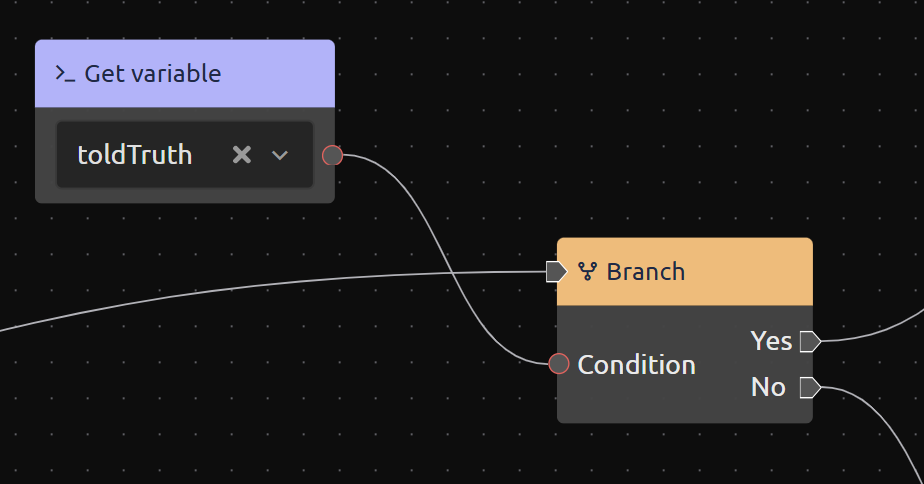
- Add a Get variable data node and pick
toldTruth. - Wire its output straight into the condition pin of a Condition (branch) node — no comparison needed, since the branch node takes a boolean directly.
- Put the line that should play only when
toldTruth == trueon the Yes branch.
Now that line appears only when the player actually made the flag true. The other branch holds whatever should happen otherwise.
Step 4 - Test both paths in the browser
Play the scene right in the editor with the Play button on the toolbar.
- Run one path - pick the option that sets
toldTruth = true- and confirm the conditional line shows. - Run the other path - leave the flag
false- and confirm it stays hidden.
What you solved today
- You defined a variable (
toldTruth) with a type and a default. - You set it from a choice by routing an option into a Set variable node.
- You built a condition by wiring Get variable straight into a Condition (branch) node.
- You tested both paths in the browser.
The story now remembers what the player picked - and acts on it.
What's next: export and share
The scene is branching and stateful. Next we export it and hand it to others to play. Export to HTML5 for an instant browser game, or to Ren'Py, Ink, Yarn Spinner, or Dialogic for your engine.
Try it now: open your project at scriptformer.com/app, add a toldTruth variable, and wire one choice through a Set variable node.
FAQ
How do I create a variable?
Open Variables in the graph toolbar, then Manage variables and Create variable. Give it a service name, a type, and a default.
Does a choice option set a variable by itself?
No. An option only routes to the next node. To change a value, point the option into a Set variable node that assigns it.
How do I make a line appear only under a condition?
Wire a boolean Get variable node's output into a Condition (branch) node's condition pin, and put the line on the Yes branch. For non-boolean values, build a comparison first (e.g. with an Equal node).
What types can a variable be?
Boolean, integer, float, text, string, or asset - set when you create the variable.
How do I test the branches?
Use Play on the editor toolbar and run each path. The in-editor player and HTML5 export behave the same.